
Claude Code has two habits that hurt on a long project: it forgets what you agreed once the context gets compacted, and it stops when the work looks done. So my setup does two jobs. It remembers for Claude (a wiki, a lessons file, three hooks), and it doesn't accept "done" until tests, gates and screenshots agree. Here is that setup, and the mistakes behind each piece.
TL;DR
- Memory: CLAUDE.md is a 76-line router into a wiki; hooks hand Claude the right pages for every prompt and bring the rules back after every compaction.
- Corrections compound: every correction becomes a one-line rule, and a rule that slips back becomes a test.
- Done means proven: typecheck, tests, e2e, Lighthouse, and screenshots Claude has to open and look at, in every language.
- Scale: subagents for research and fact-checks, background builds, and a few hard rules for parallel sessions on one repo.
This post assumes you know the basics (CLAUDE.md, plan mode, /clear); if not, the quickstart (opens in a new tab) covers them in ten minutes. Both habits above come from the docs: quality drops as the context window fills, a full window gets compacted into a summary, and without a check Claude can run, "you become the verification loop".
How does it remember what I said last week?
Not in CLAUDE.md alone. Mine is a router: a table that maps a task ("copy, wording, CTA labels") to the wiki page that holds the knowledge, plus the rules that must never break. The wiki holds the rest: 33 pages, plus a folder of research notes. Three hooks, configured in .claude/settings.json, do the remembering:
| Hook | When it runs | What it does |
|---|---|---|
SessionStart |
new chat, resume, /clear, every compaction |
injects a card: how we work, what's in flight in git, the lessons |
UserPromptSubmit |
every prompt | scores the prompt against the routing table and injects up to 5 best-matching pages |
Stop |
when Claude tries to finish | blocks once if code changed but the wiki didn't |
This is what Claude saw before it read my prompt "have it consistent over languages" while I was writing this post:
[project wiki] Before acting, read the pages that match this task:
- Locales, translation, Lingui, Polish, Spanish, language switcher,
  hreflang, URL prefix, slugs: .claude/project-info/site/i18n.md
Change behaviour a page describes -> update that page + append a line to
.claude/project-info/log.md in the same change.
The compaction part is the one that matters. Claude Code re-reads the root CLAUDE.md after a compaction, but not the pages it read along the way or what I said in chat. The card brings the rules back, because a script prints it again from files in git. How the wiki is laid out and how the router scores a prompt is in An LLM wiki: project memory for Claude Code.
How does a correction turn into a test?
- 01 Correction I tell Claude it got something wrong, or a tool trips it.
- 02 Rule One dated line in lessons.md, in the imperative.
- 03 Every session The SessionStart hook injects the rules, after every compaction too.
- 04 Check A rule that slips back becomes a test, a lint rule or a hook.
The best example is a bug that never threw an error. Scroll-driven animations on this site are written in CSS. The build folded animation and animation-timeline into one shorthand that Chrome rejects whole, so the effect silently never ran. Nothing failed: the code looked right and Claude reported it done. On 2026-10-08 it became a rule: write these in longhands. By the next day three rules had slipped back to the shorthand anyway, so now a unit test reads every stylesheet:
it("never use the animation shorthand next to animation-timeline", () => {
  const shorthand = rules
    .filter(({ rule }) => /(^|[\s;])animation\s*:/.test(rule))
    .map(({ where }) => where);
  expect(shorthand).toEqual([]);
});
A rule shapes what Claude tries. A test decides whether it shipped. Today's rule came from this very post: I asked for a rewrite and got an English-only draft, so now "en and pl posts are one story" sits in the lessons file.
How do I hand it a big task?
In slices. The site was built one section at a time, and each slice ran the same loop: research the section, build it with real content, check it (screenshots, gates, all three languages), fix the weakest point. The loop repeats until one more pass finds nothing worth fixing. Nothing starts while the last slice has a failing check.
Two rules make long, unattended runs safe:
- No invented facts. When a fact is missing, Claude writes a placeholder, marks it with a searchable tag in the code and logs it in one register. The launch build fails while any marker is left. That's what let me ask, one evening, for every remaining section in one go without questions, and review real pages the next morning instead of made-up numbers.
- Ambitious first, then practical. My first look for the site was safe and I called it ugly. Since then, a design question gets three or four rendered directions, desktop and phone, and I pick. Claude is fast at making options; I'm the one who chooses.
What does "done" mean when an agent says it?
On this project, "done" is a list of commands with exit codes, not a sentence:
| Gate | Fails on |
|---|---|
| typecheck, lint, unit tests | types, style, content rules (like the test above) |
| e2e in Playwright | axe WCAG 2.2 AA on every route, sideways scroll from 320 to 2560 px, text spilling out of its box in any language |
| Lighthouse, mobile | performance under 95, any other category under 100 |
| launch gate in the build | a placeholder left in a launch build, a missing share image |
Two mistakes taught me to read the output, not the summary:
- The first red task hides the rest.
bun run checkstops at the first failing task, so a failing test once hid a typecheck error that got committed. Now every task's result gets read, and the typecheck runs again after a test fix. - A pipe hides the exit code. While writing this post, a background build ended with exit code 0 while its log said
Build failed: the command piped the output throughtail, so the shell reportedtail's code, and the preview served 404s. Now it's a lesson: grep the log for the failure, or useset -o pipefail.
How do you make it look at its own work?
Tests don't see a ragged line break or a label spilling out of a button. So Claude takes screenshots with Playwright from phone to desktop width (390 to 1920 px), in English, Polish and Spanish, and then opens every file. Claude Code reads images, so "I checked the page" can mean it actually looked.
The rest is knowing how the camera lies. Headless Chromium draws WebGL in software, so shaders look broken until it runs with --use-angle=d3d11 --enable-gpu. Phones are emulated with touch on, or hover-only parts show their mouse version. And a page that animates needs reduced motion or a fixed clock, or the shot shows a random frame.
When do subagents pay off?
When the work is reading, not writing. A subagent runs in its own context and hands back only its answer, so a hundred pages of docs never touch the main session.
- Research in parallel. While planning this site I sent out 8 research agents at once, one topic each. One lesson came out of it: parallel agents share one web search budget, so prefer fetching URLs you already know.
- Fact-checks. For this post, a subagent checked 12 claims against the docs in under a minute. All held, and it found one detail worth adding: auto mode is the starting mode only from version 2.1.283.
- Fresh eyes. A new agent that never saw the draft reviews the rendered post: what the headings alone say, which facts lack a source.
Where do skills fit?
A skill turns a process I'd otherwise explain every time into a command. This post came out of /new-blog: an 11-step pipeline from research to cross-posting, with its own scripts. post-check.mjs lints the reading load and the SEO, capture.mjs takes the screenshots, crosspost.mjs publishes on dev.to and checks the published copy. The skill holds the judgement ("headings are questions a reader asks"), the scripts hold everything a script can prove.
Skills grow like the lessons file. When I correct a skill's output, the correction goes into the skill, with the date and my words. The /new-blog rule on numbers came from a round where I said a post "talks too many times about lighthouse and numbers". Another came from Medium: its URL import dropped every picture, because it refuses WebP. Now the skill builds a paste page with JPEG copies and checks that each picture loads.
How do you run several sessions on one repo?
I often have two or three chats open on this repo, on two computers. Every trap here happened:
- One session committed another's half-done work. Now each session stages only its own paths, never
git add -A. - An audit ran on another session's build, because a running preview server served the other one's output folder. Now each build gets its own folder and port.
taskkill /IM python.exeended every Python on the machine, other sessions' servers too. Stop a server by its port's PID.- A push got rejected today, because another session had pushed in the meantime.
git pull --rebase, then push.
Long builds and servers run in the background, and in my sessions Claude gets a note when one finishes, so it keeps writing meanwhile. For truly separate work, the docs suggest one git worktree per session (claude --worktree <name>). On Windows, keep it at a short path: under the temp folder, the build hit "Filename too long" and produced pages without CSS.
What is it never allowed to do?
Auto mode keeps the prompts away: a separate classifier checks each action in the background. Hooks are the other side of that trust: they run as shell commands with your full user permissions, so read any hook before you add it. On top of it sit the hard rules: never read real .env files, never commit the private context/ folder, commit only to main, push only when I say so.
Be honest about where those rules live, though. Mine are in CLAUDE.md, and the docs are clear that CLAUDE.md guides what Claude tries but blocks nothing. A deny rule in settings is what actually stops a read. That's the next thing I'm adding.
Limits
- One person, one project. This is a portfolio built by me and Claude Code in about two weeks, not a team of twenty. Hooks and gates pay off sooner the more people touch the repo.
- Windows. Several traps above (Git Bash paths,
taskkill, long paths) are Windows-only. - The card is over its budget. It prints the lessons up to 8,000 characters, and the file has grown past that, so the rules at the end of the file get cut until I merge and prune them.
- No cost numbers. I'm on a subscription and didn't track tokens per feature.
- It takes setup. The wiki and hooks came from a planning phase before any product code. On a two-day script I'd write a short CLAUDE.md and stop there.
Where would I start?
Not with the hooks. Start a lessons.md today and write one line every time you correct Claude. Add one gate that Claude has to run before it says done. When a rule slips back twice, turn it into a test. The hooks come when you notice you're repeating yourself after every compaction.
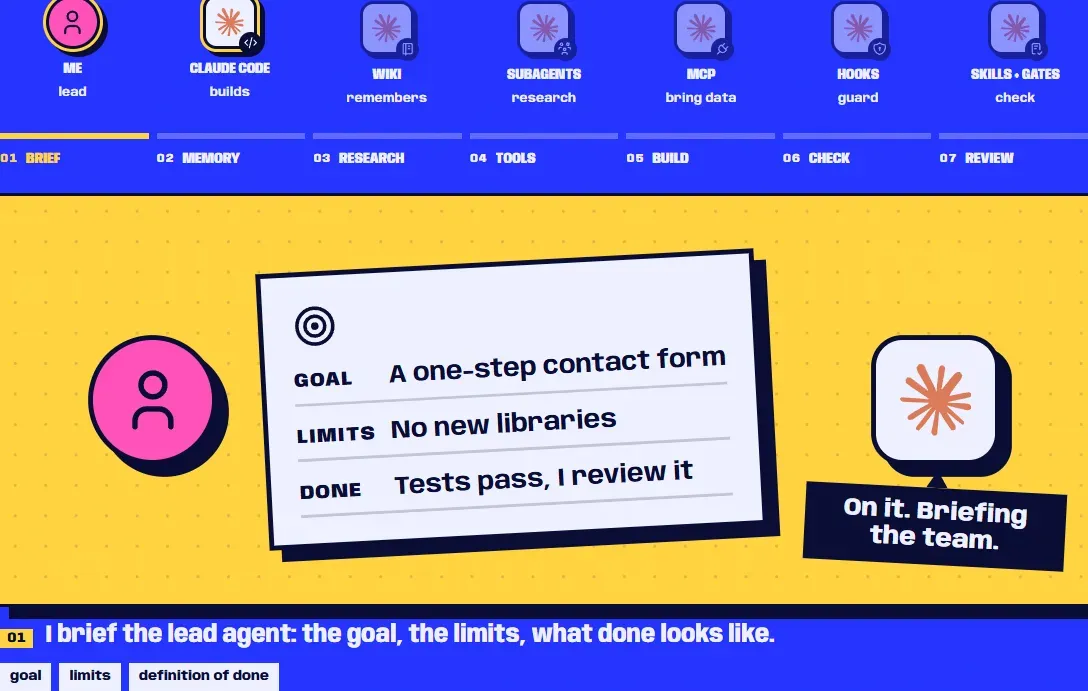
Which piece to reach for when is in Claude Code skills, hooks, MCP servers and subagents. The whole build is in the case study, and the same process plays step by step in the AI section on my home page. If your team works like this, or wants to, here's my CV.
Sources
- Hooks reference (Claude Code docs) (opens in a new tab) (accessed )
- How Claude remembers your project (Claude Code docs) (opens in a new tab) (accessed )
- Best practices for Claude Code (Claude Code docs) (opens in a new tab) (accessed )
- Create custom subagents (Claude Code docs) (opens in a new tab) (accessed )
- Common workflows (Claude Code docs) (opens in a new tab) (accessed )
- Configure permissions (Claude Code docs) (opens in a new tab) (accessed )
- Choose a permission mode (Claude Code docs) (opens in a new tab) (accessed )
- Quickstart (Claude Code docs) (opens in a new tab) (accessed )